INSTALLATION ON MAC OS
1. press DOWNLOAD "MAC OS(M1+)" button >>>
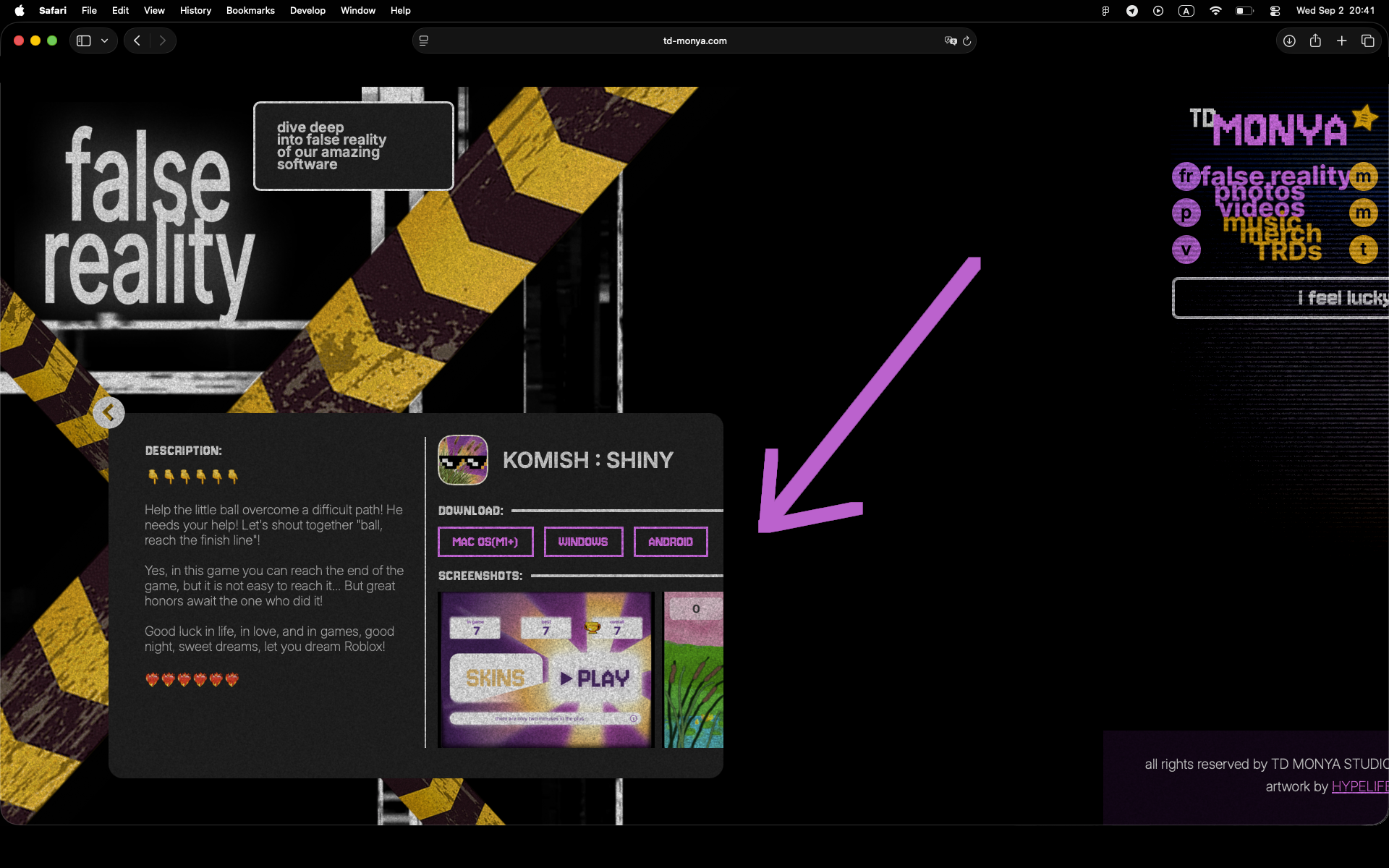
2. the downloading will start >>>
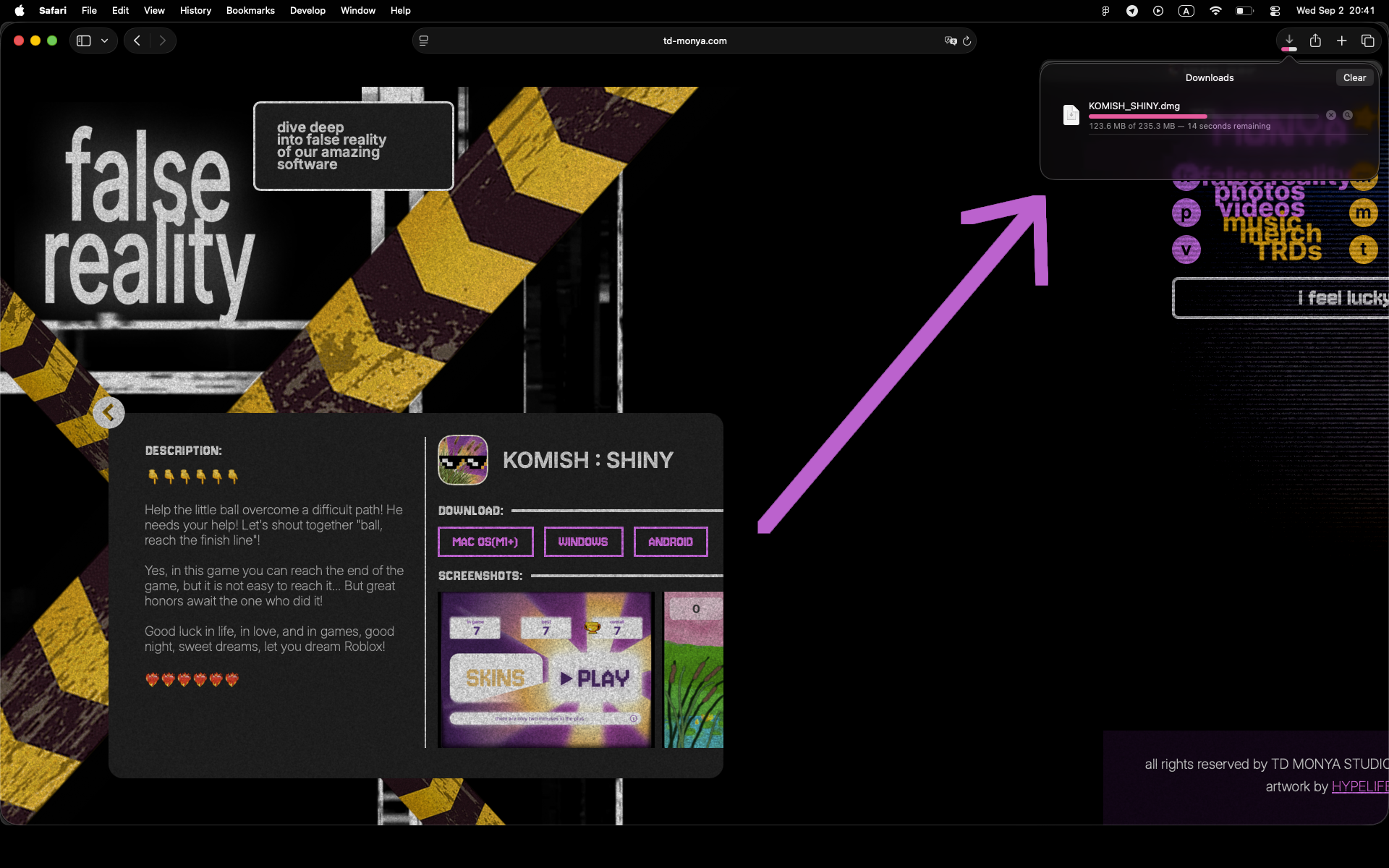
3. app will be in "downloads" folder, so open it by double click >>>
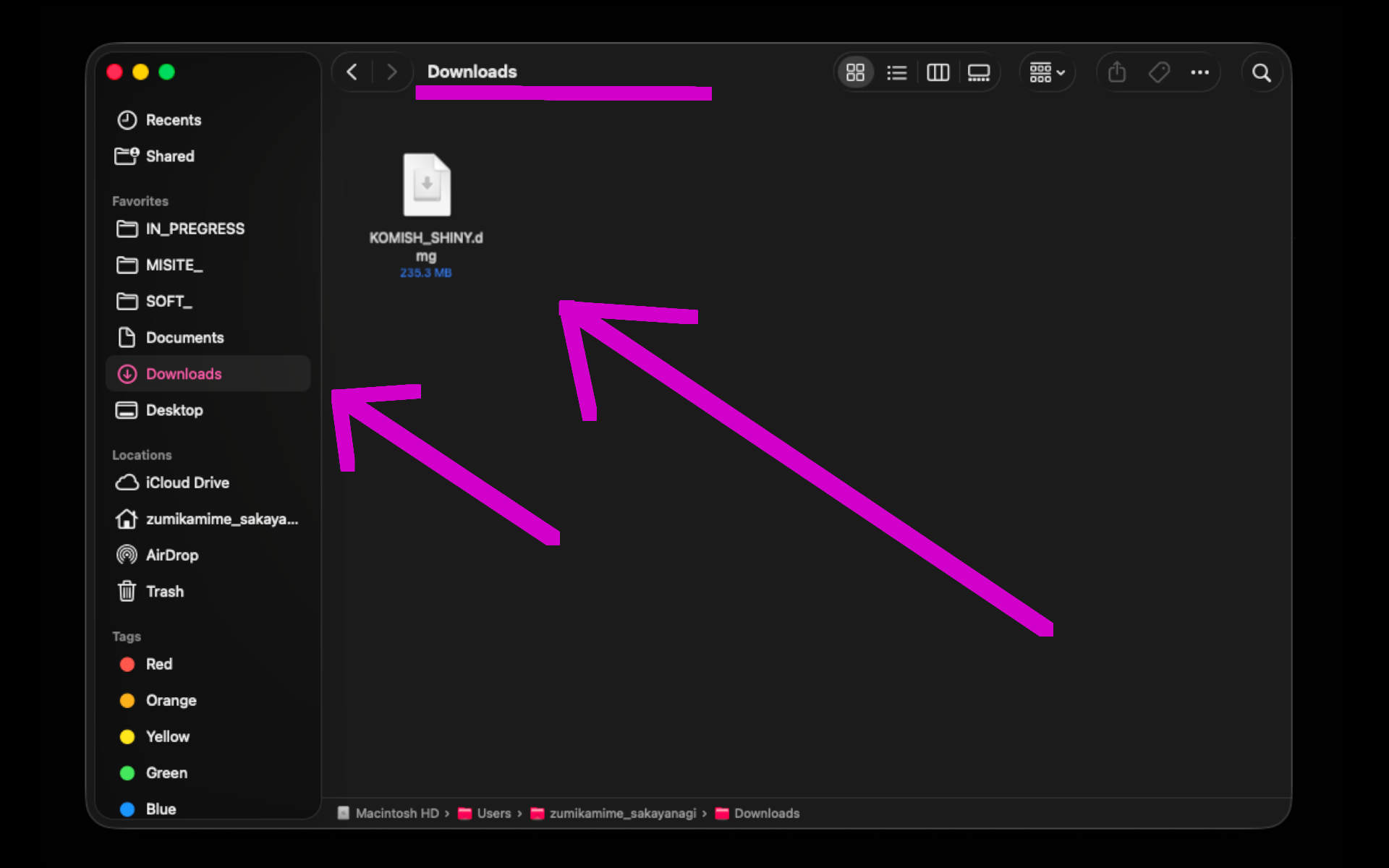
4. in opened window drag and drop app to folder >>>
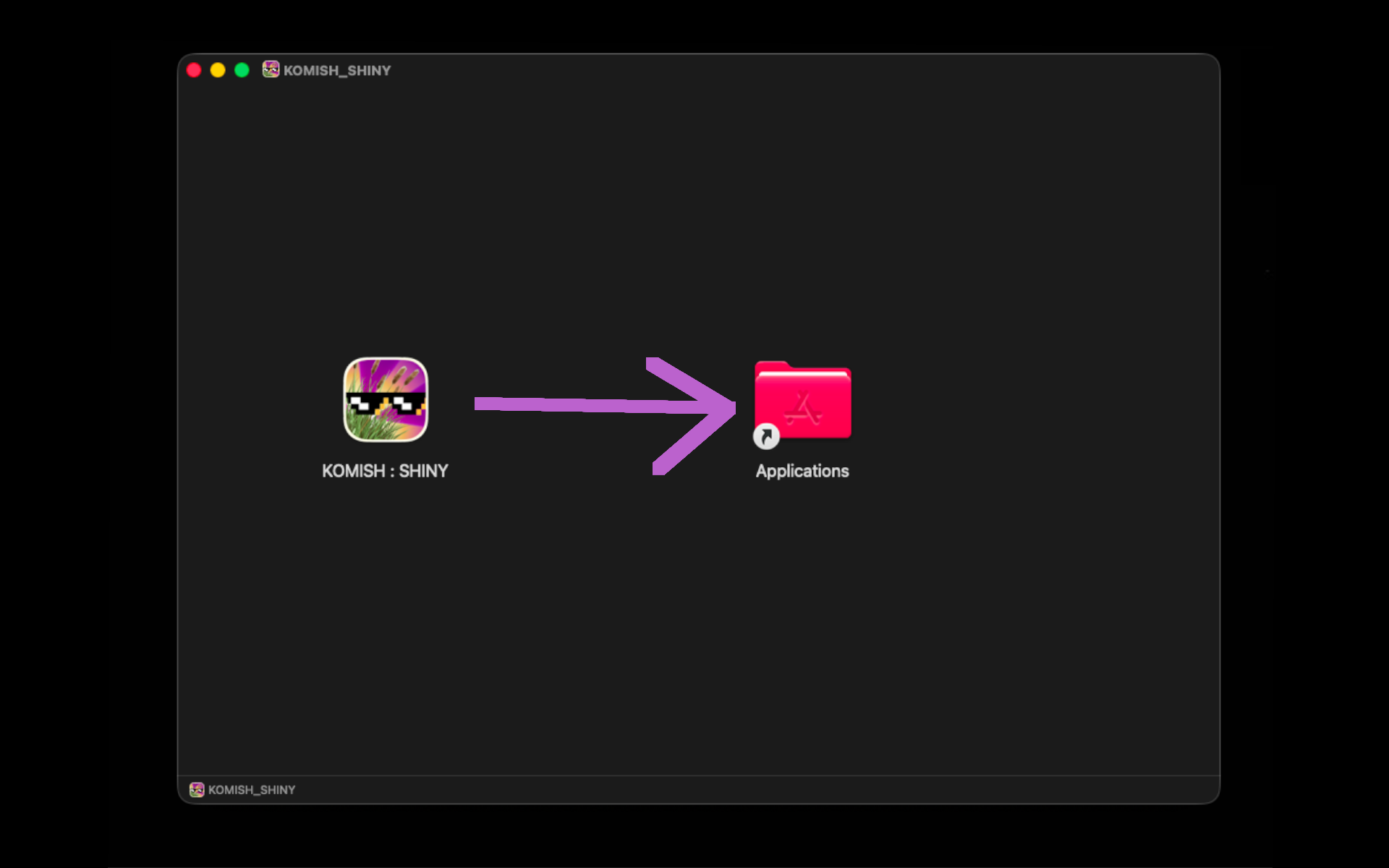
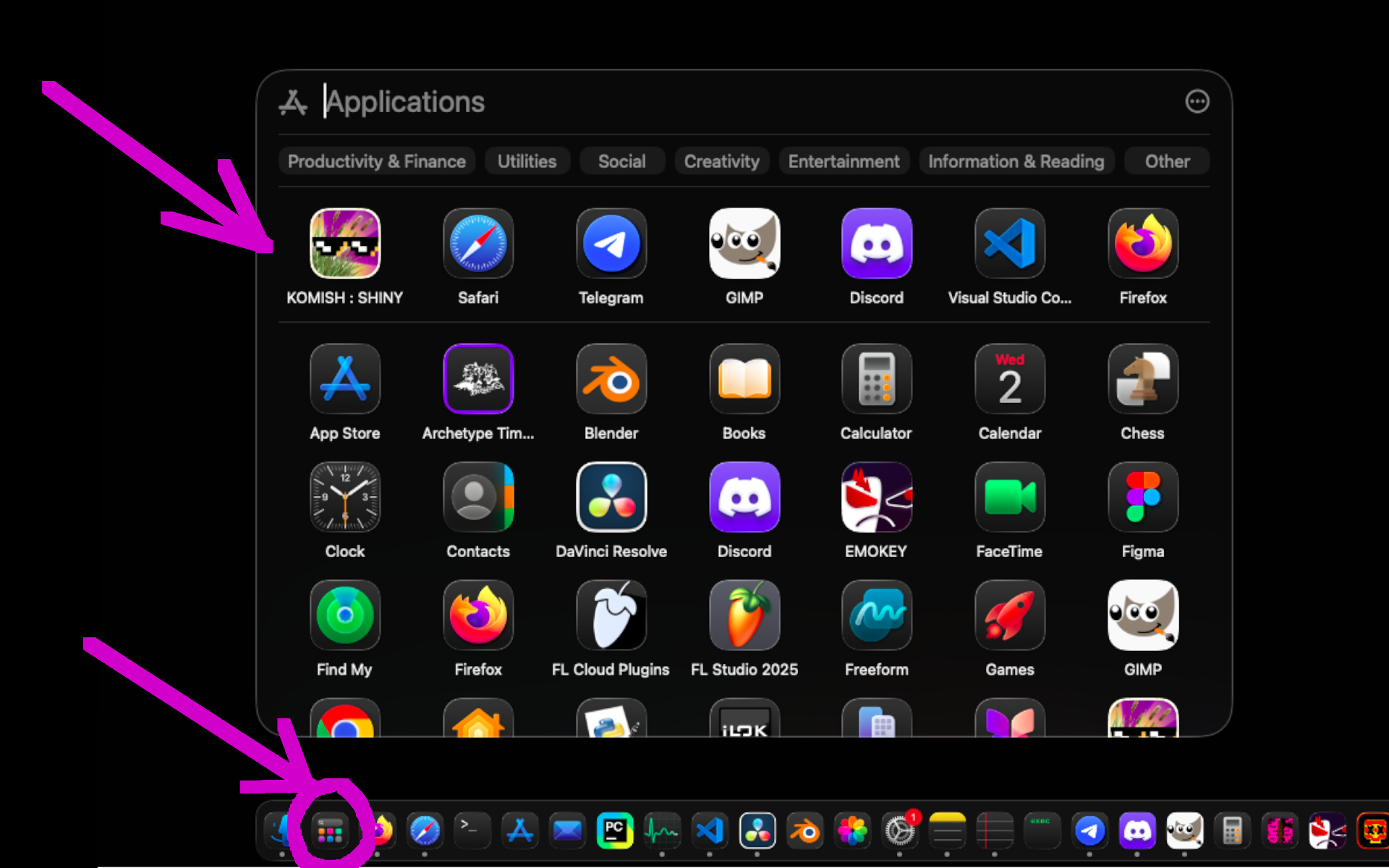
5. run the app from "Applications" >>>
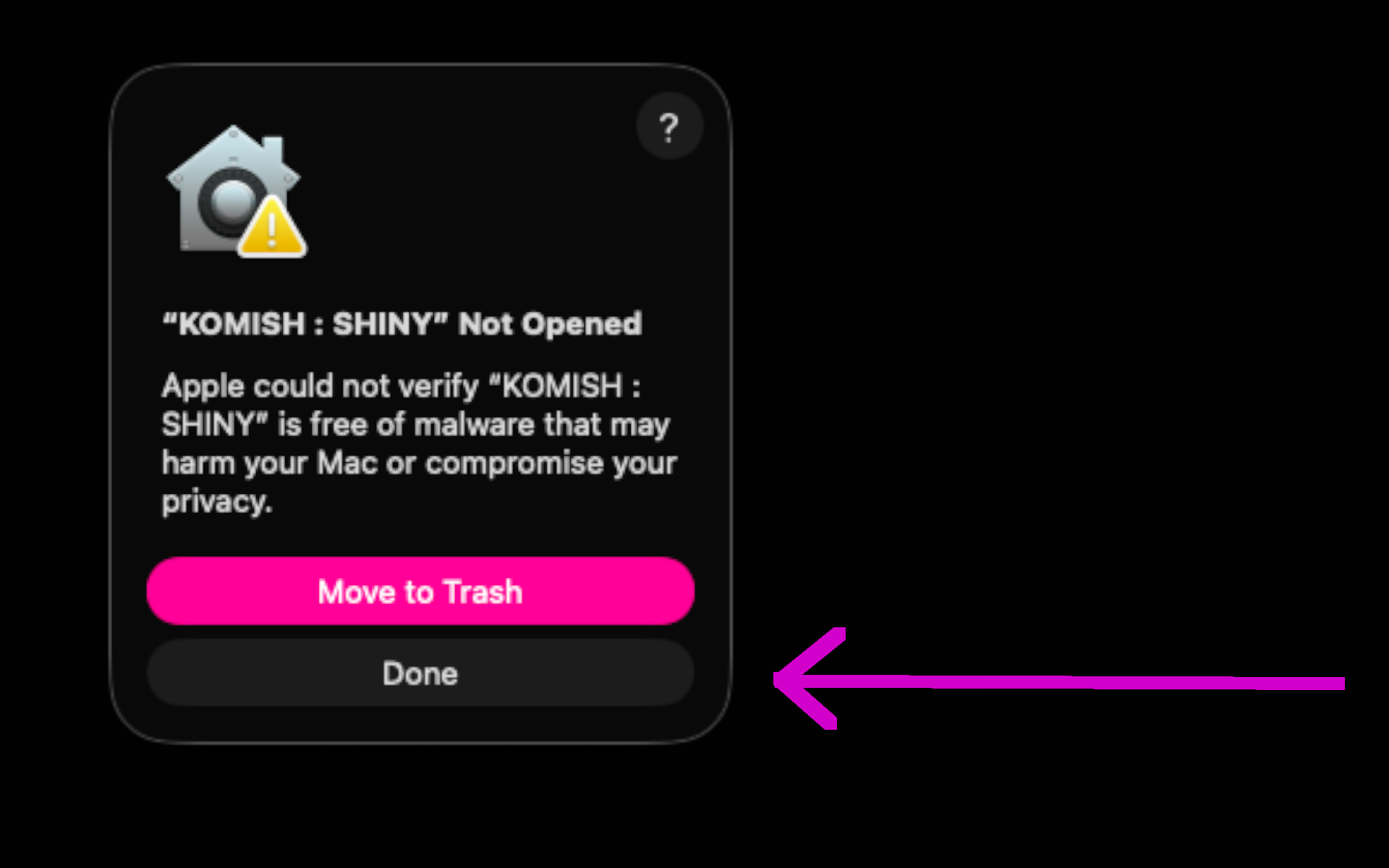
6. this window will be opened, and here you have to press "DONE" button >>>
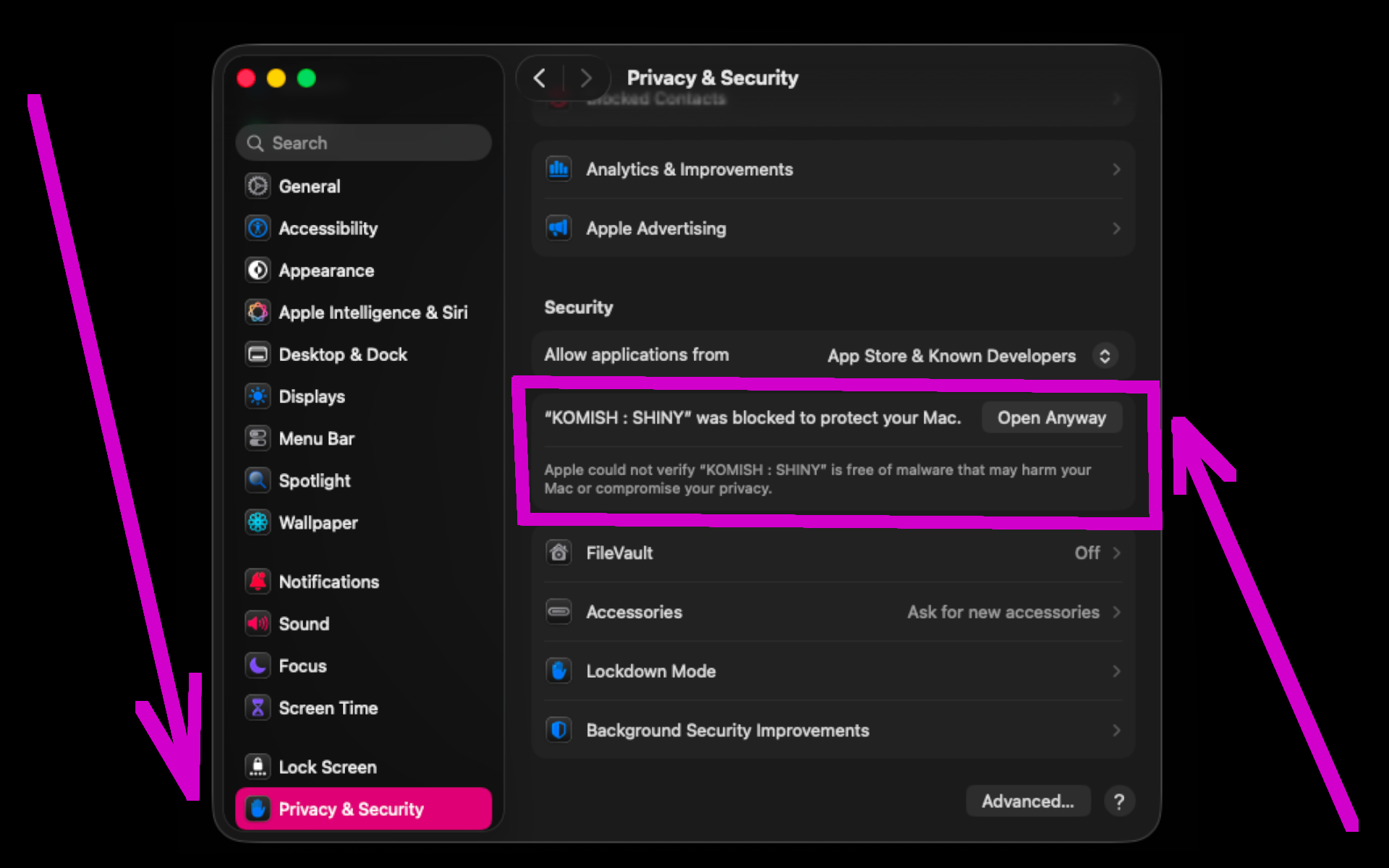
7. after that, in settings, in "Privacy & Security" find this section and press "OPEN ANYWAY" >>>
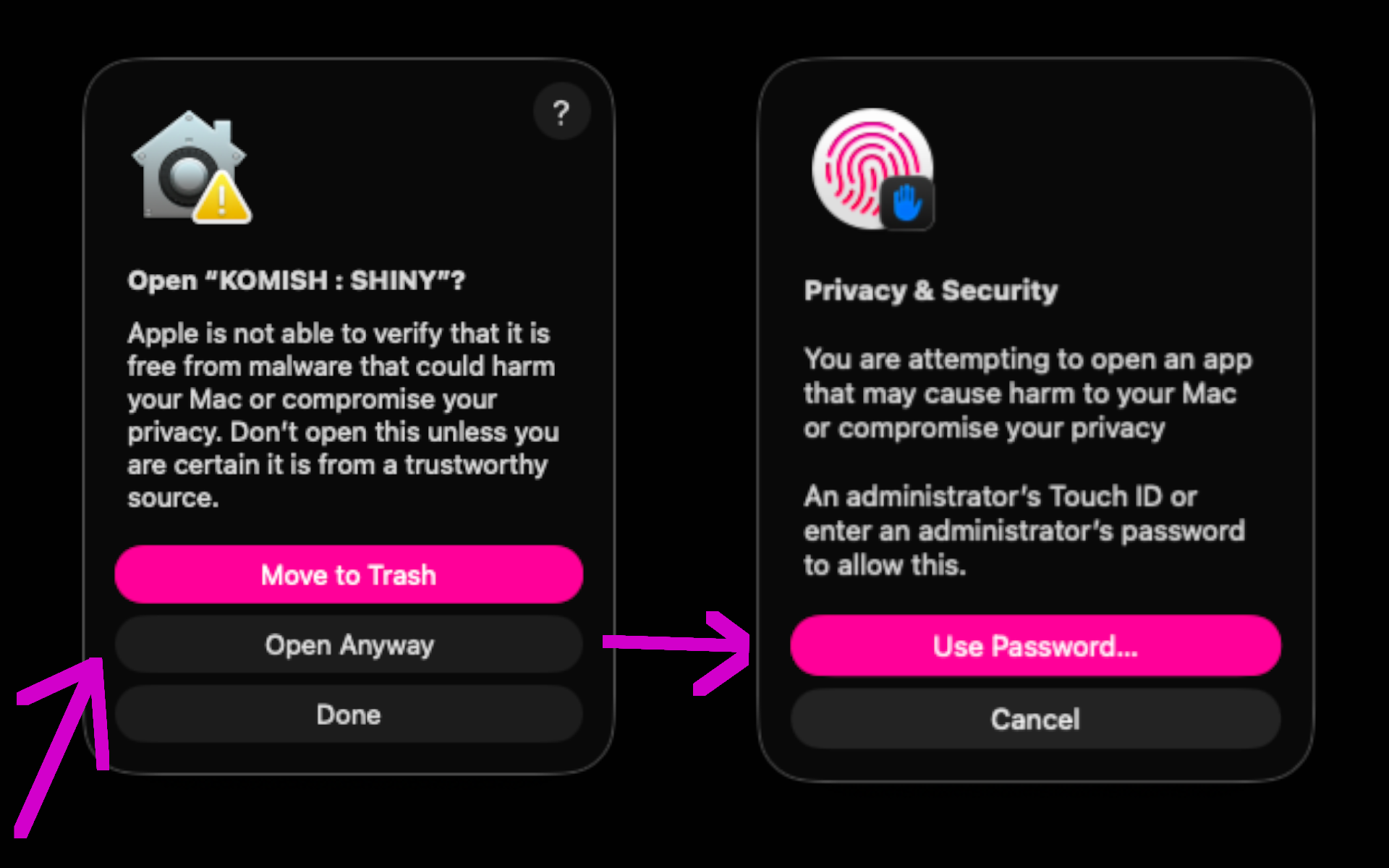
8. open the app again, and press "OPEN ANYWAY", and then confirm with password >>>
9. WOW !!! WE DID IT !!! NOW WE CAN CHILL AND ENJOY THE APP >>>
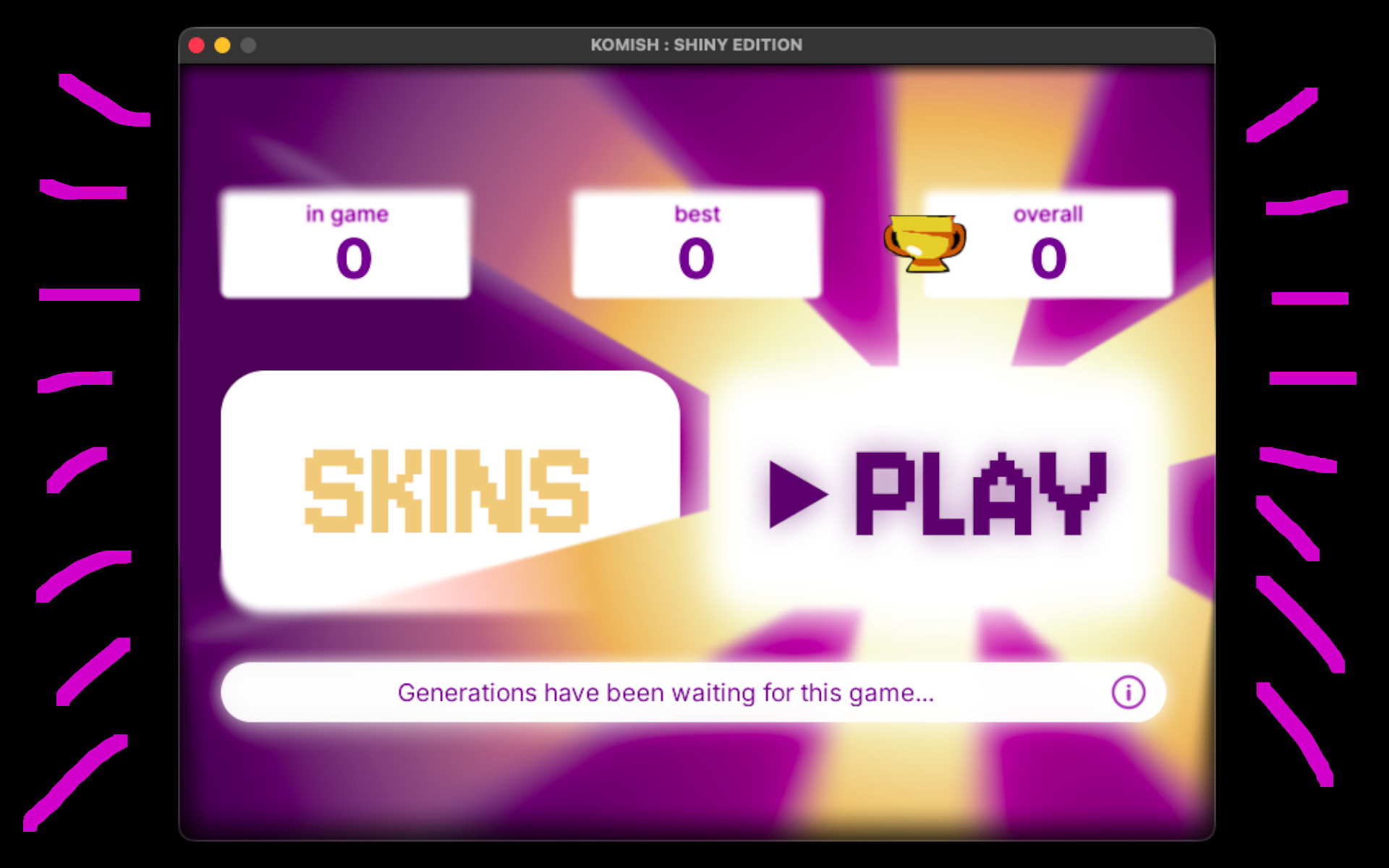
INSTALLATION ON ANDROID
1. press DOWNLOAD "ANDROID" button >>>
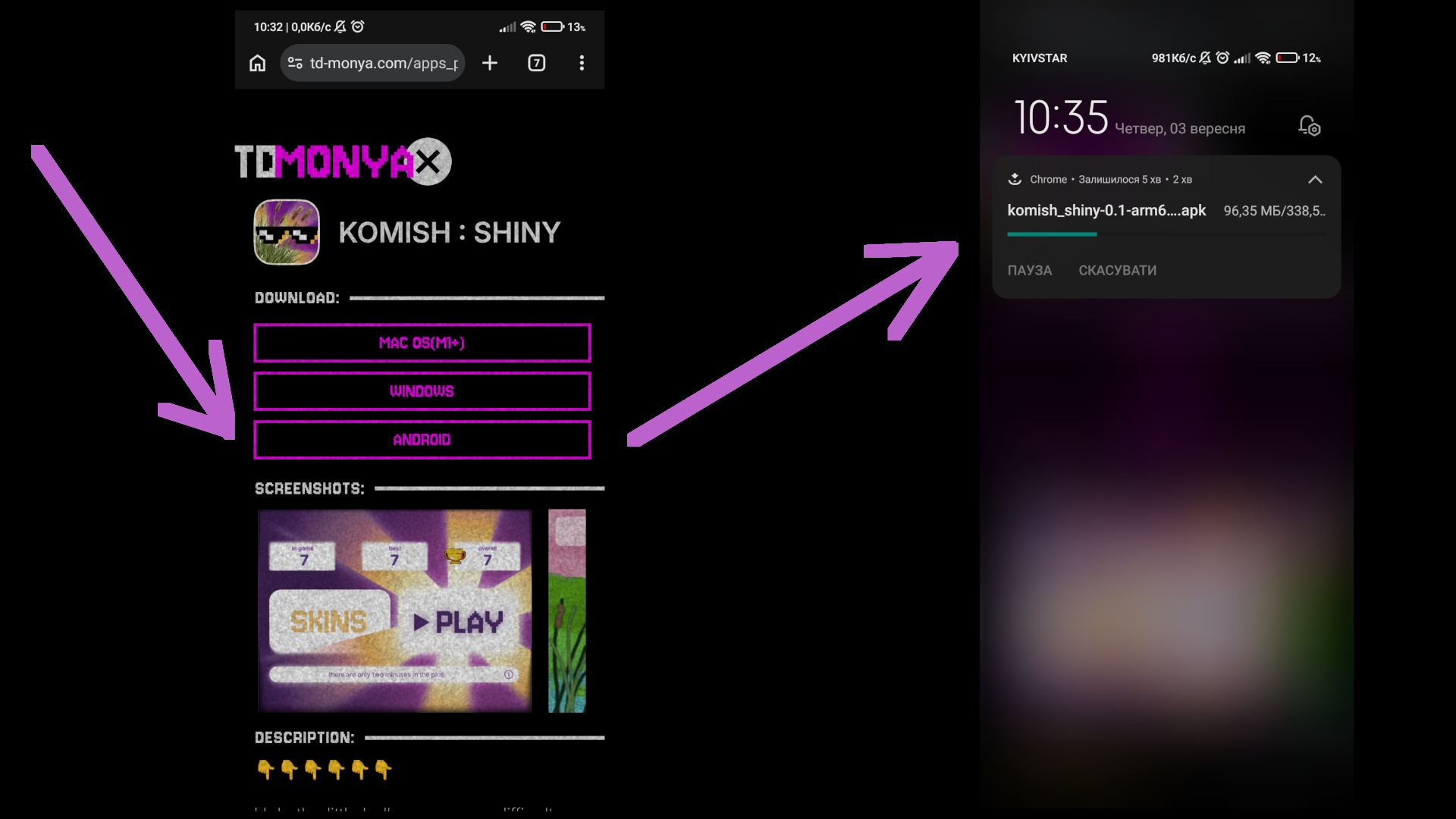
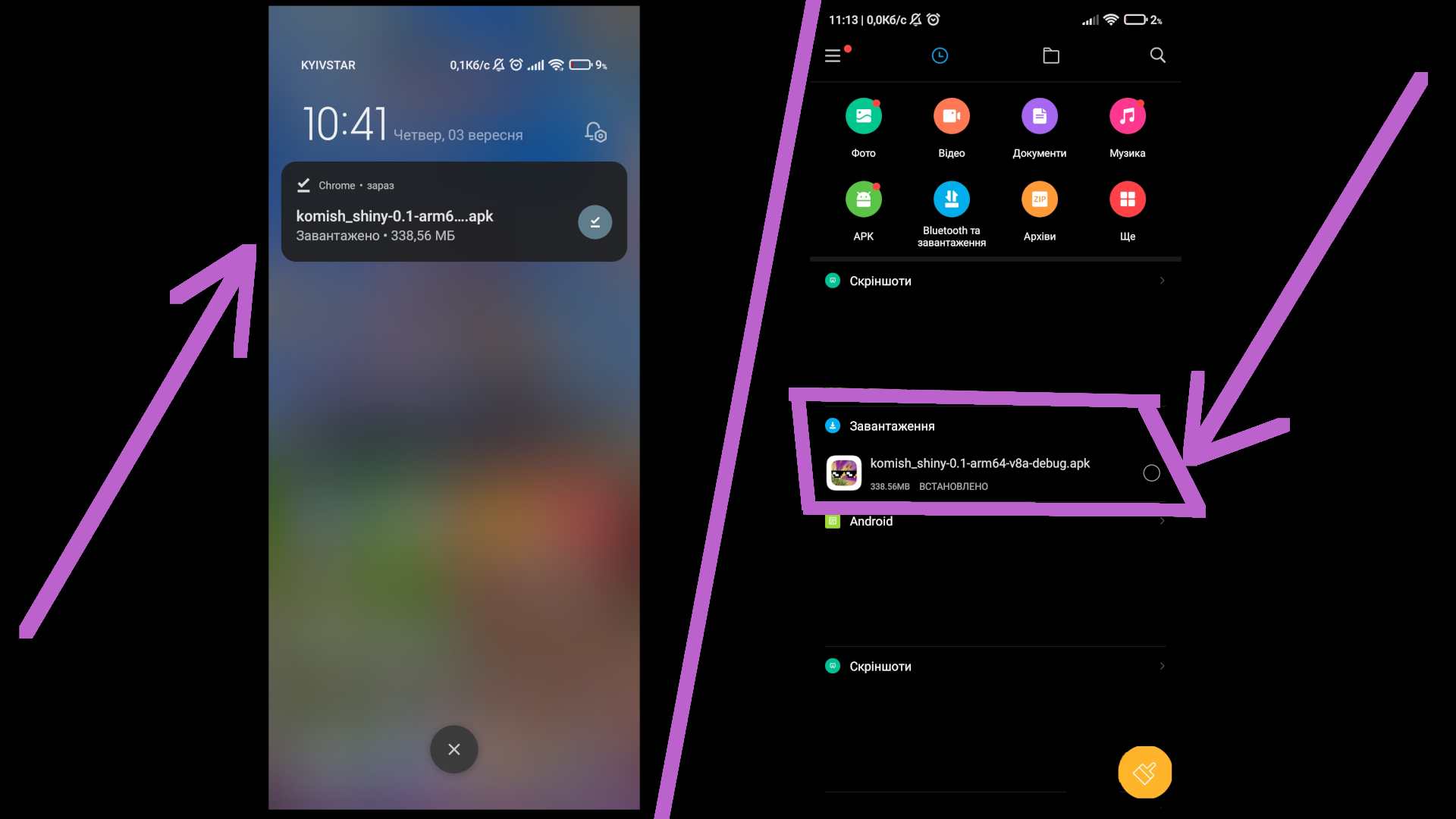
2. open app by clicking on it >>>
3. press "settings" and "allow downloading" >>>
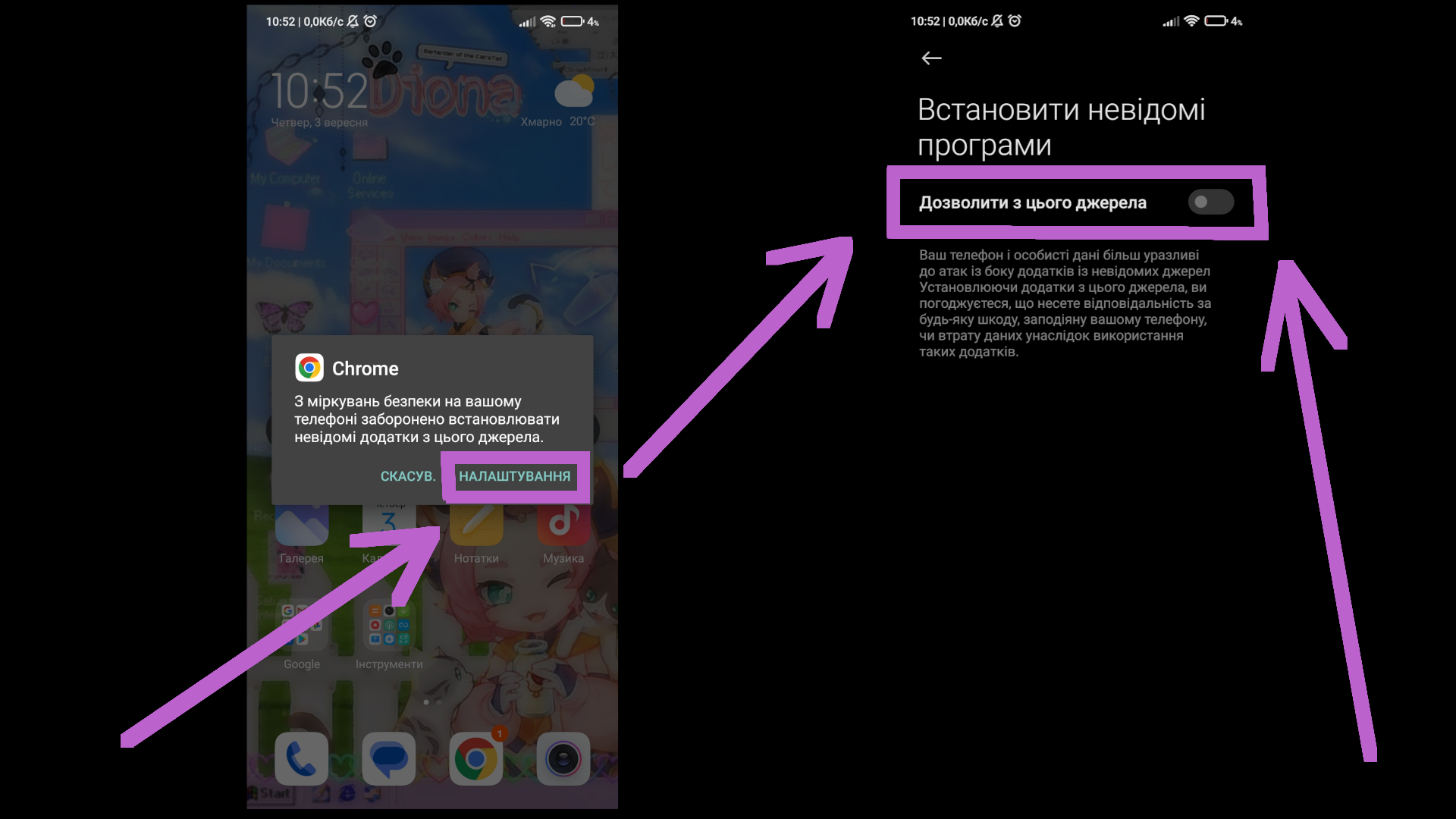
4. confirm action >>>
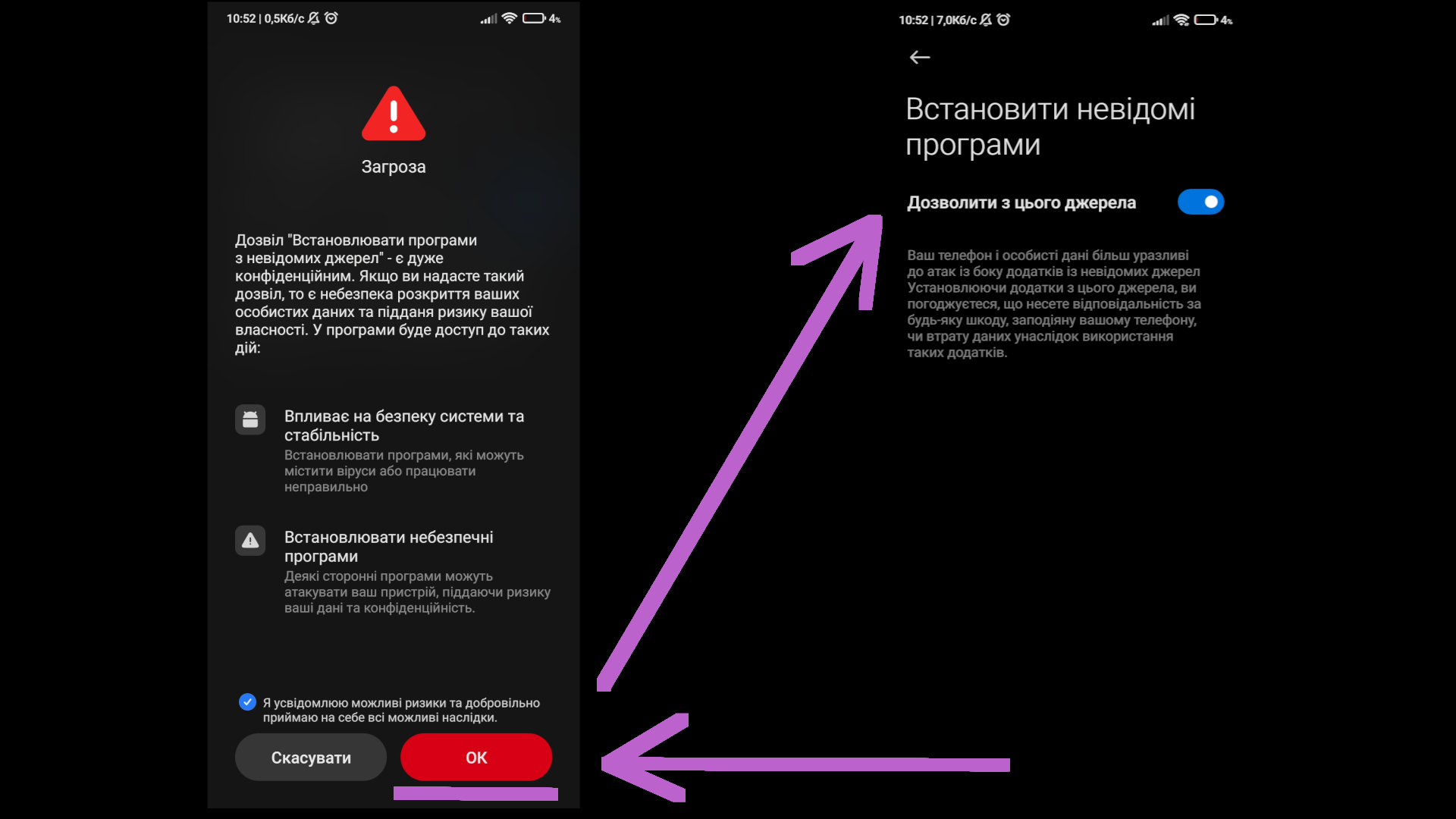
5. exit settings and press "install" >>>
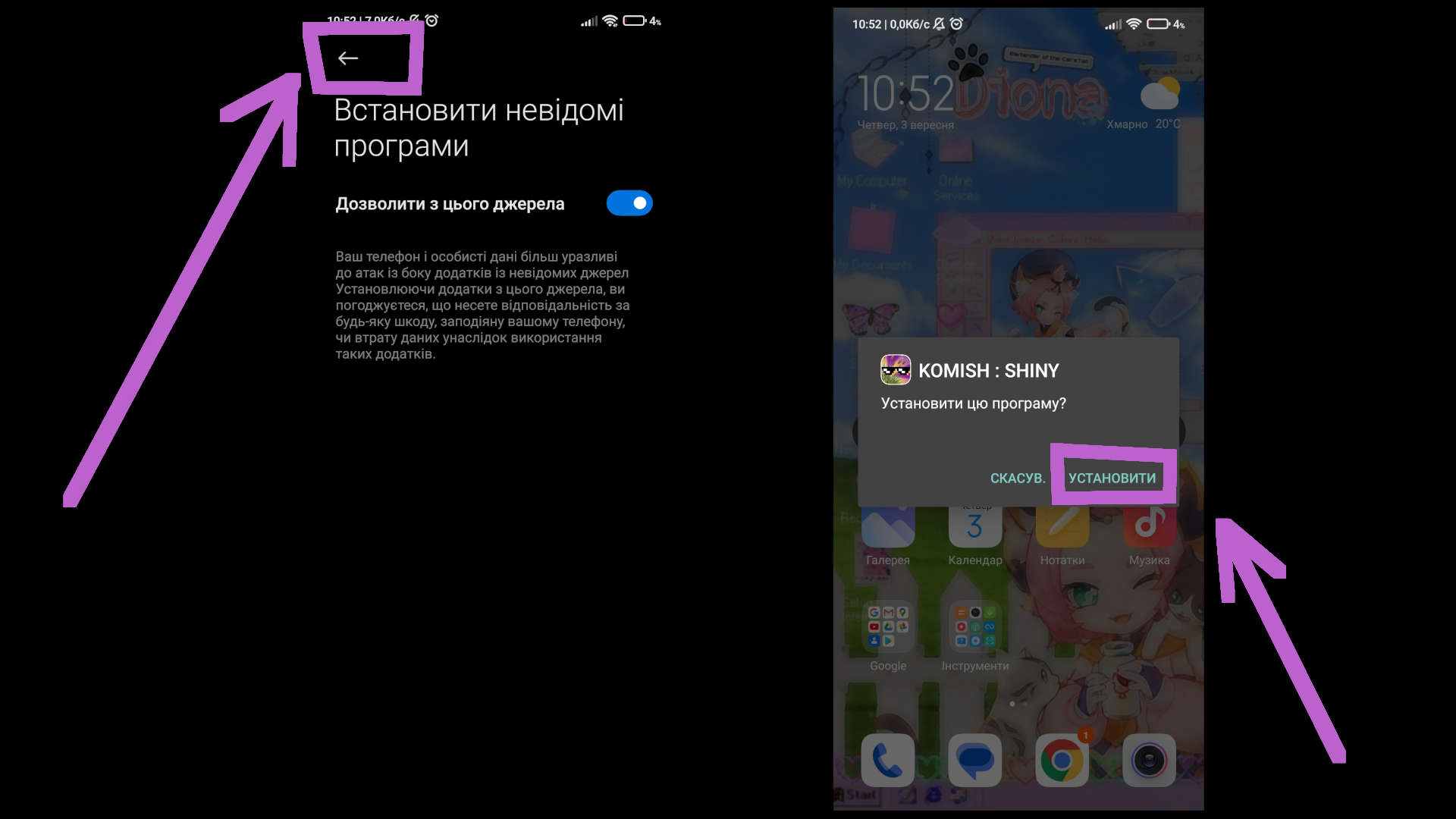
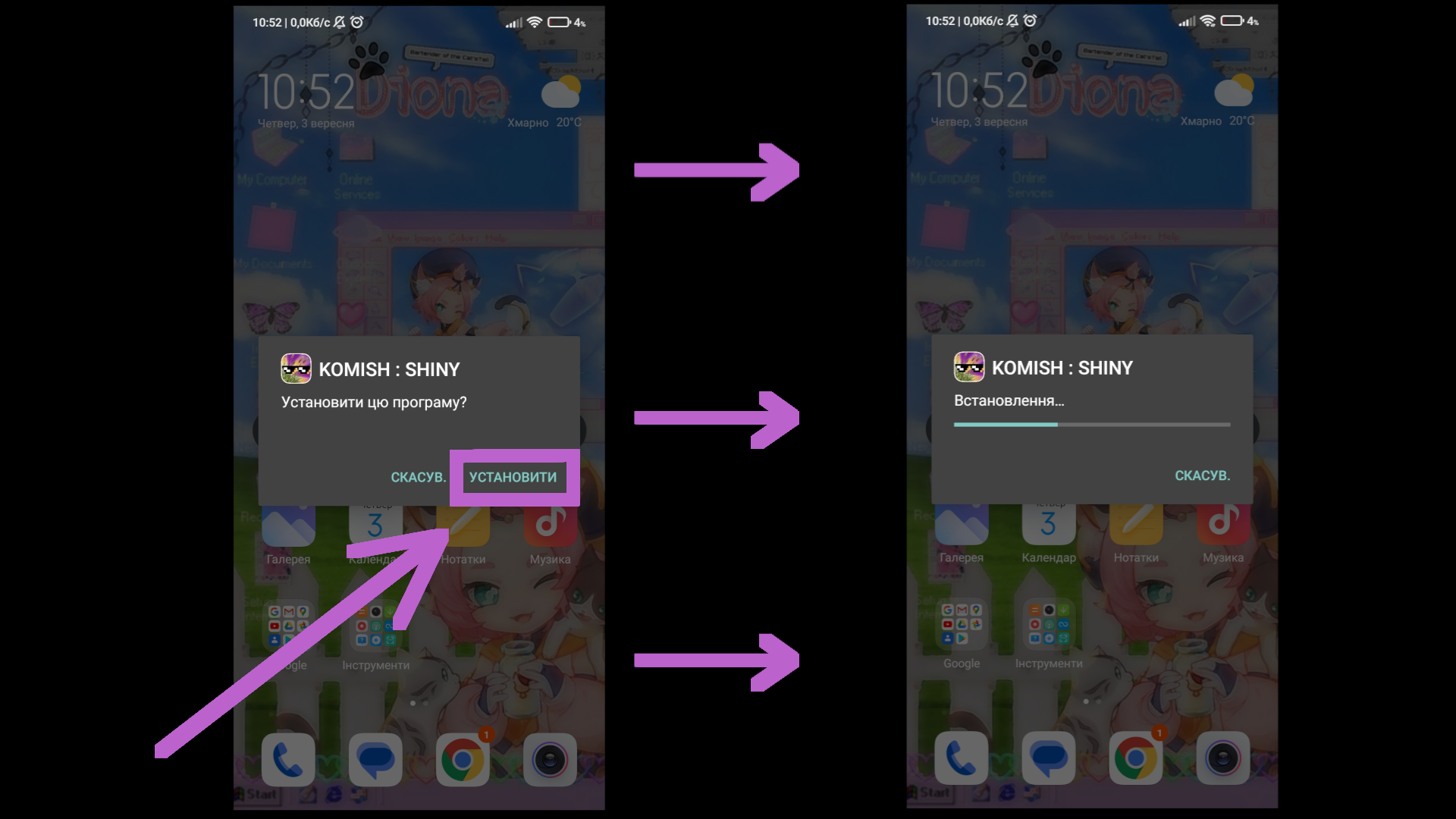
6. wait until app will be downloaded >>>
7. some phones may check the app, so here you have to just wait until done, then just close everything >>>
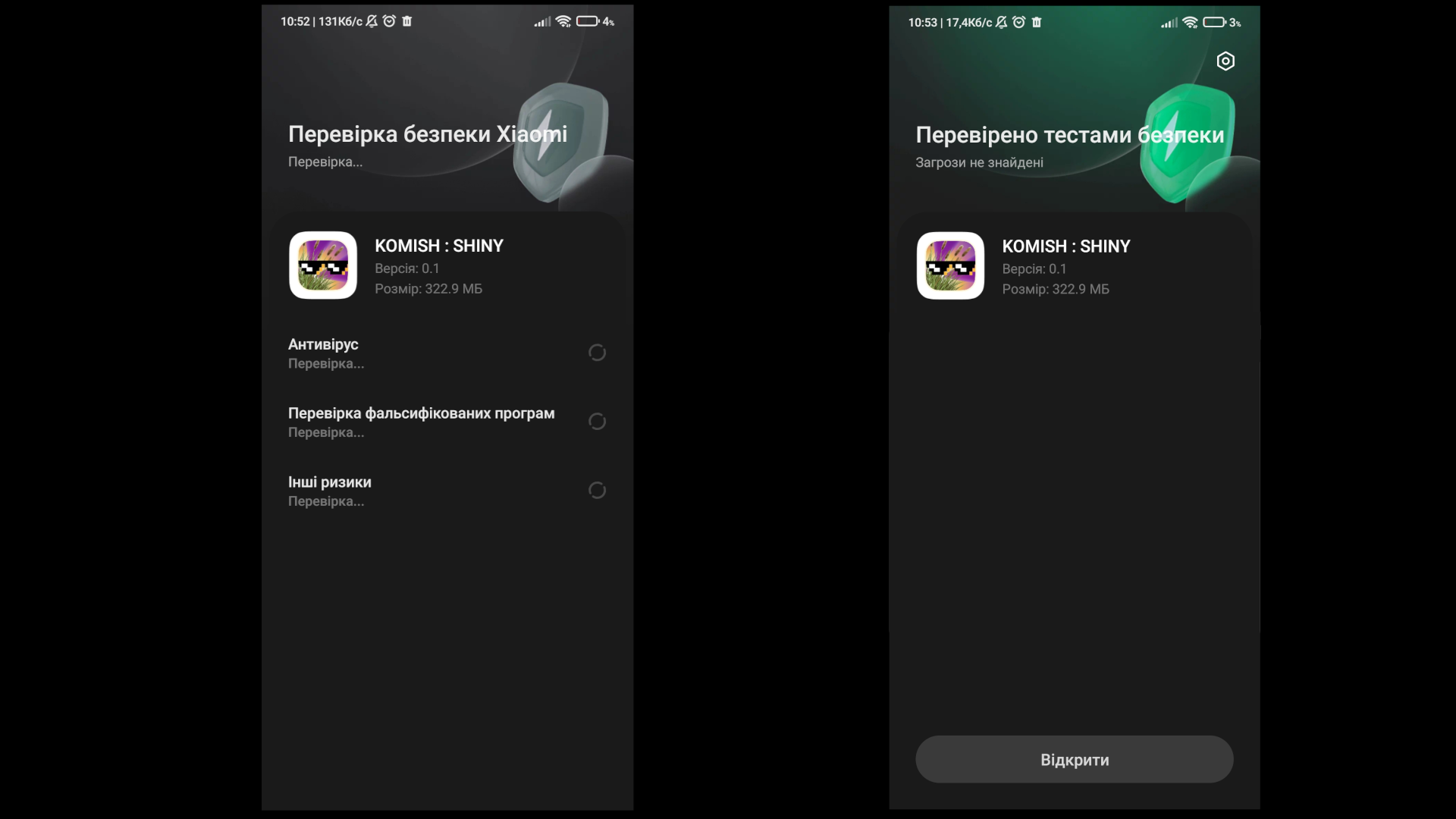
8. WOW !!! WE DID IT !!! NOW WE CAN CHILL AND ENJOY THE APP >>>
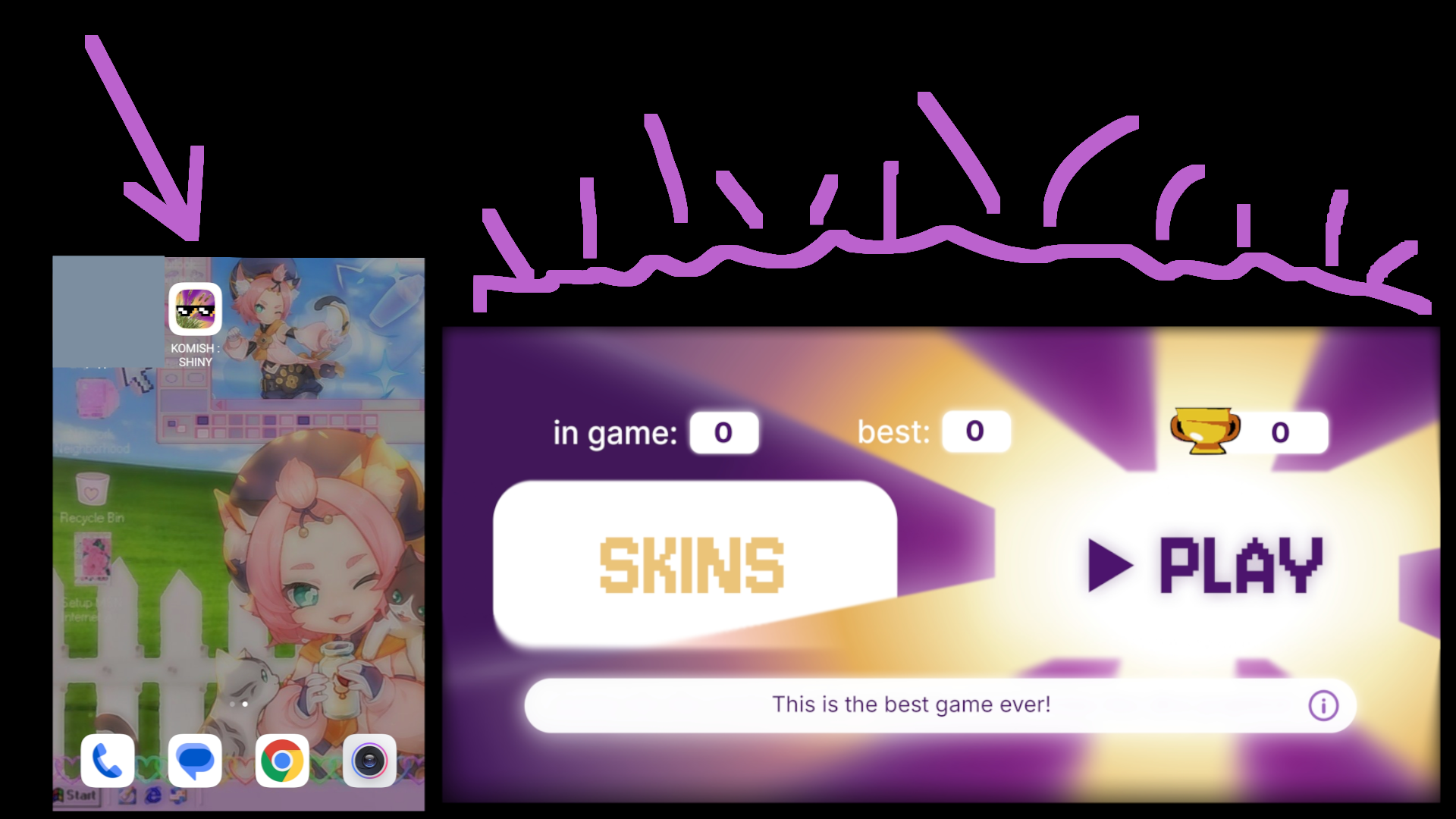
INSTALLATION ON WINDOWS
1. press DOWNLOAD "WINDOWS" button >>>
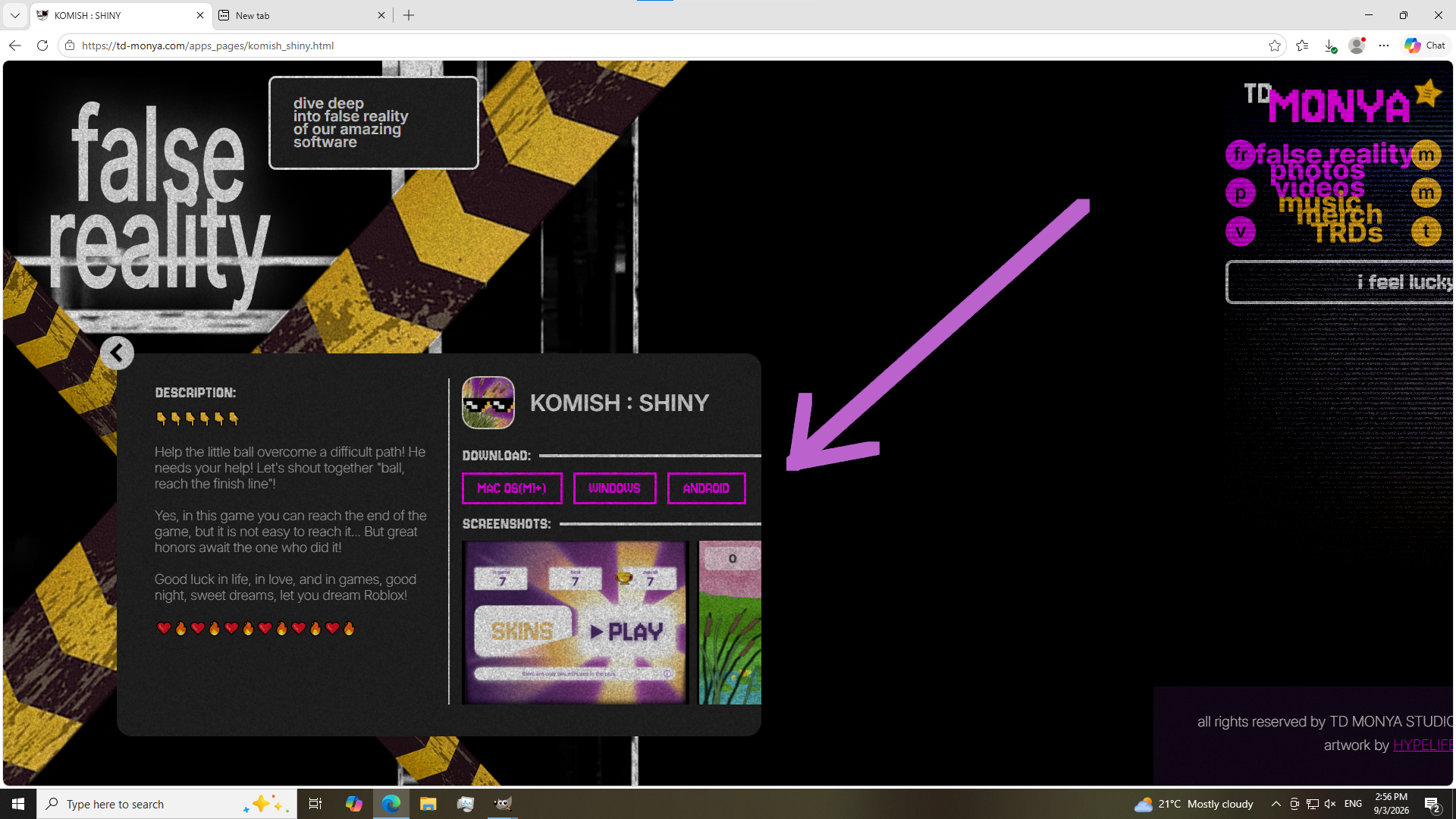
2. the downloading will start >>>
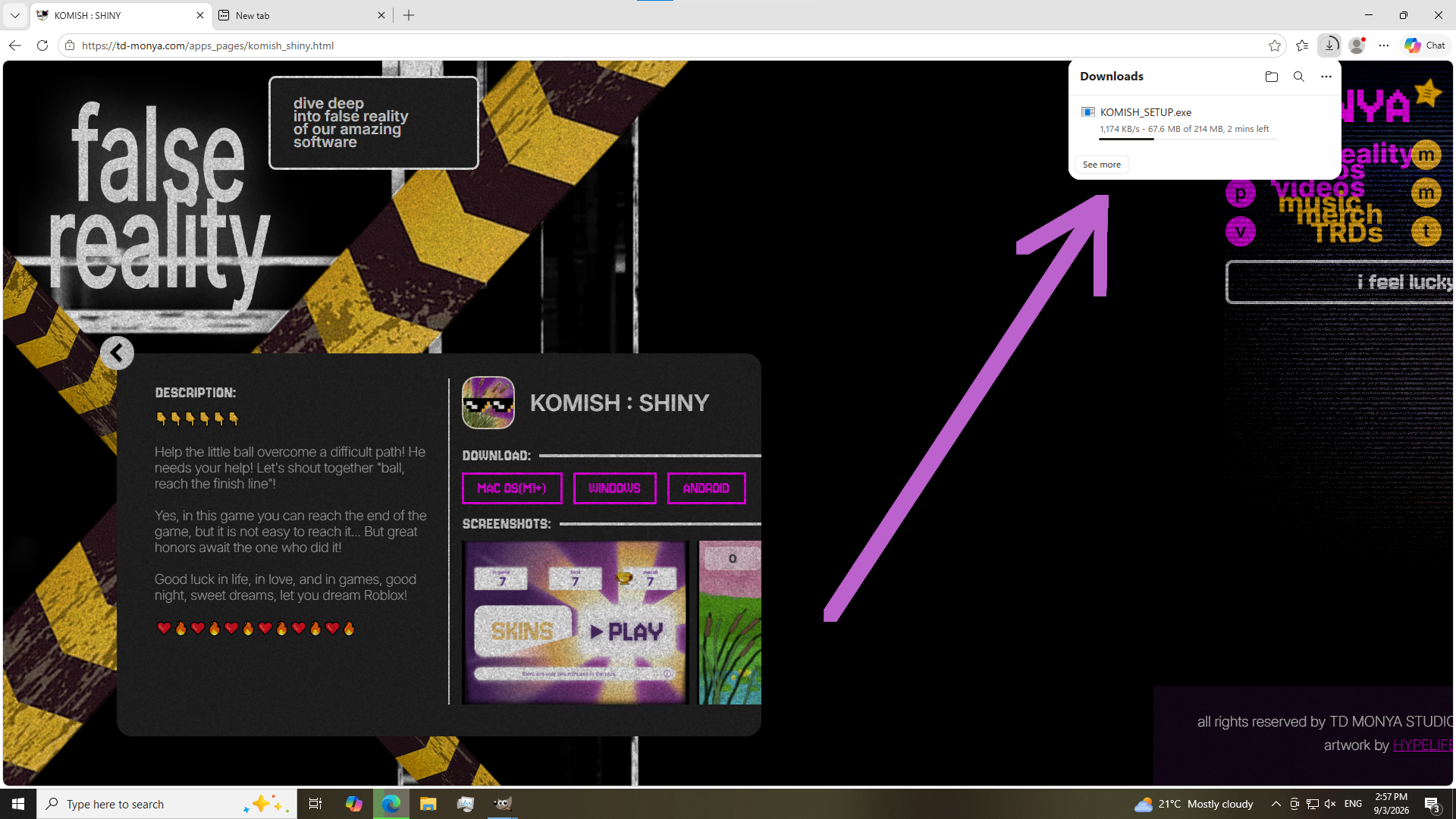
3. app will be in "downloads" folder, so open it by double click >>>
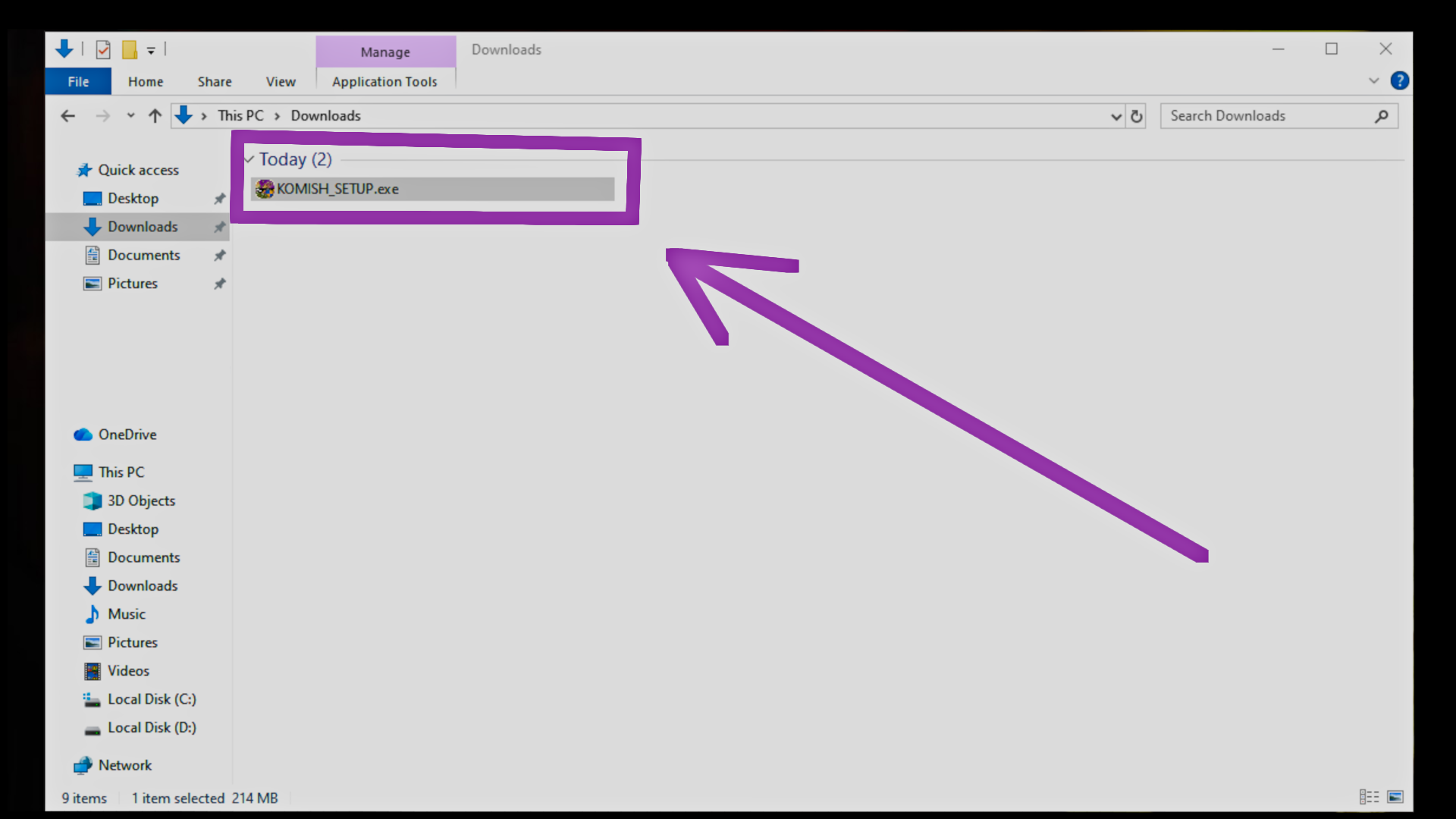
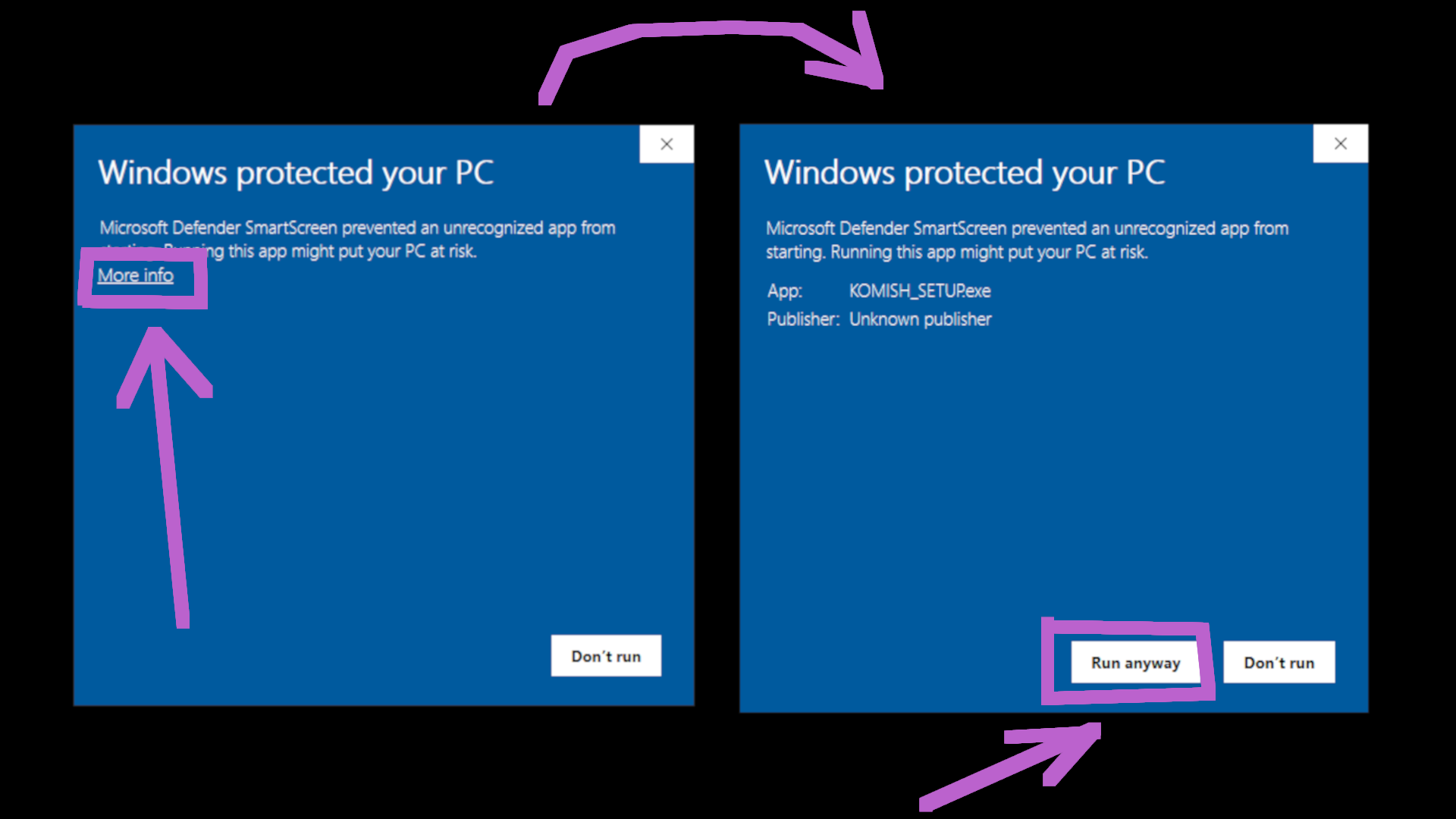
4. windows defender will ask that, so here click "MORE INFO" and then "RUN ANYWAY" >>>
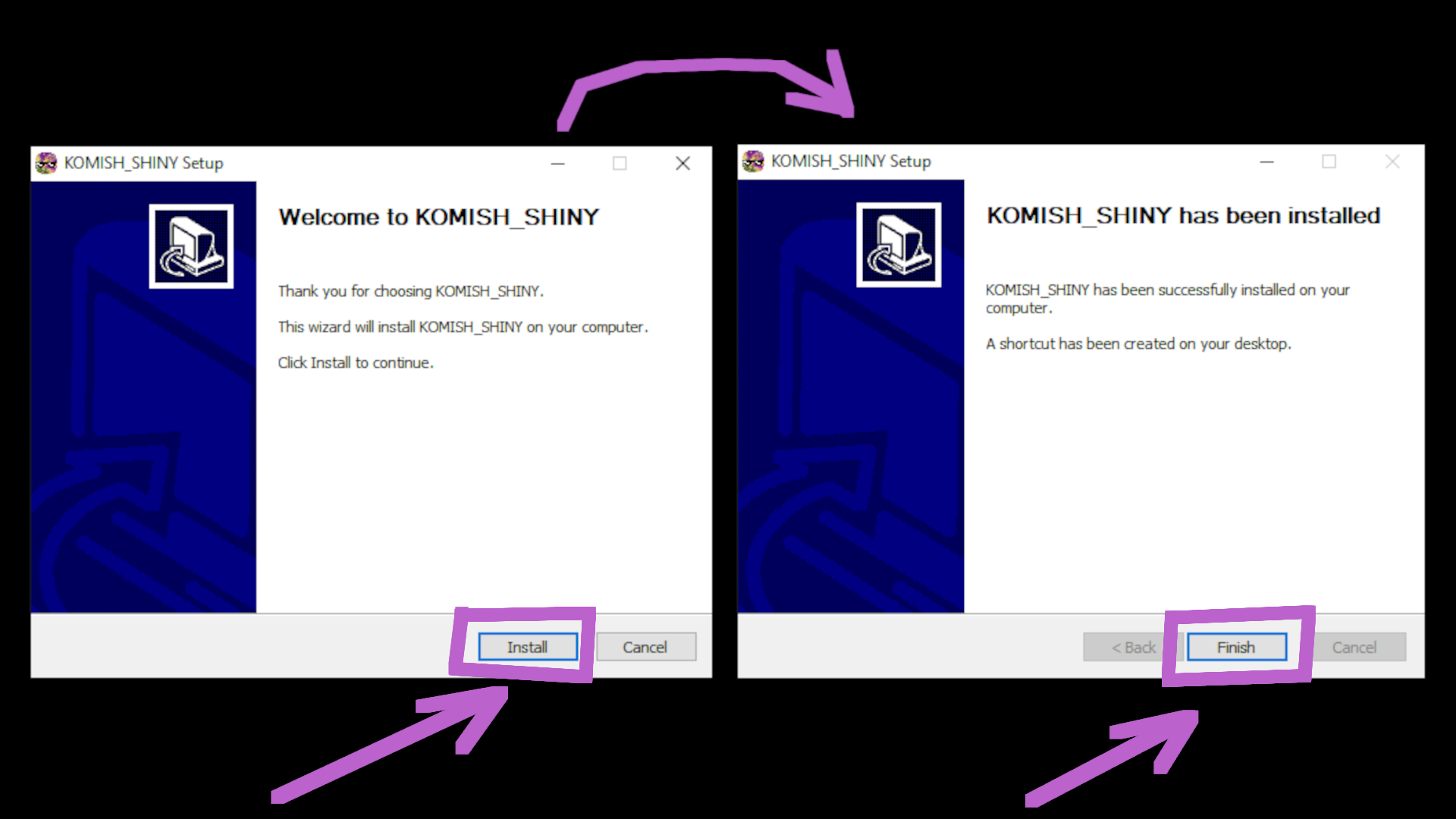
5. in app installer press "INSTALL" and after installation click "FINISH" >>>
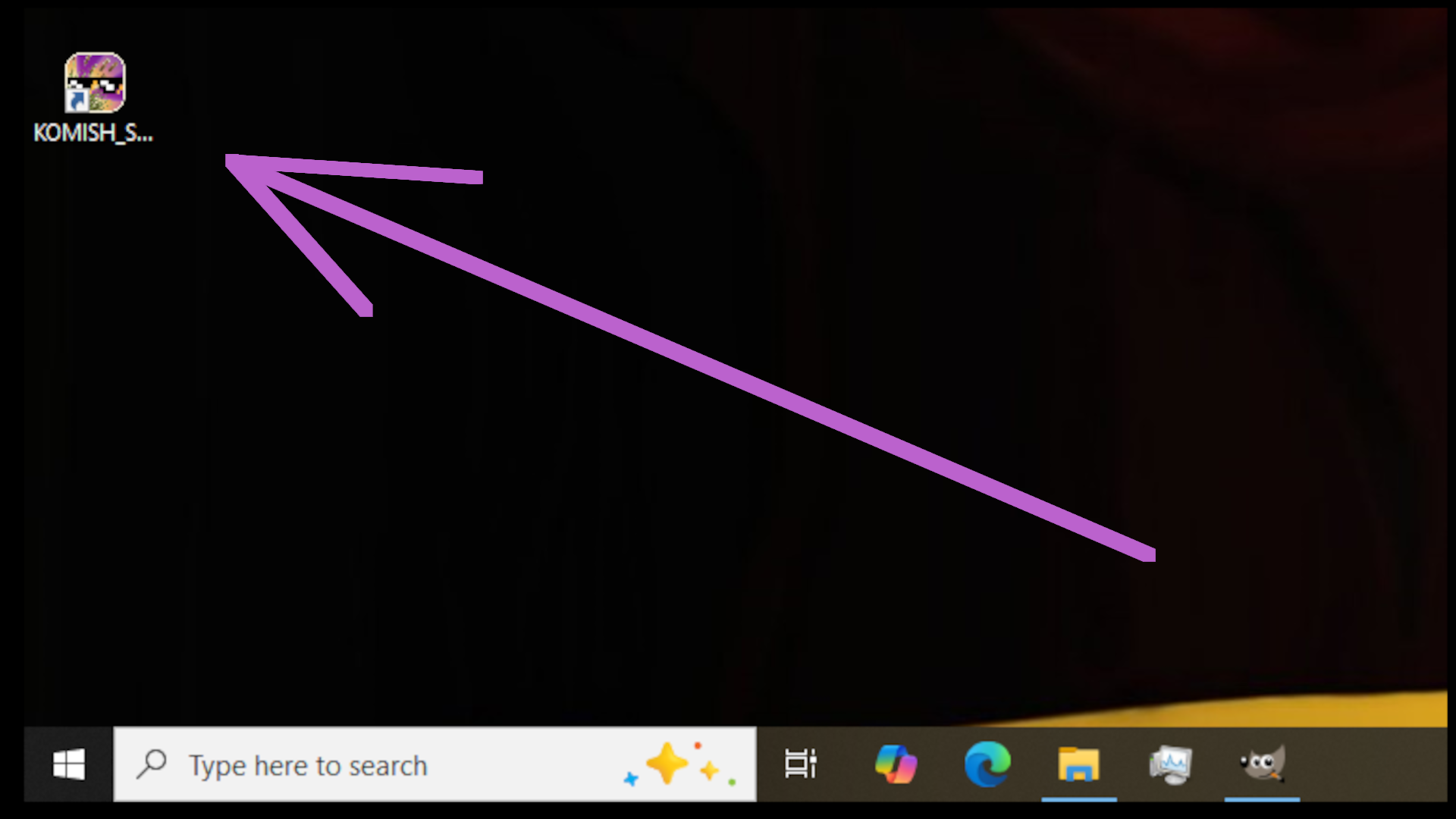
6. app will appear on the desktop >>>
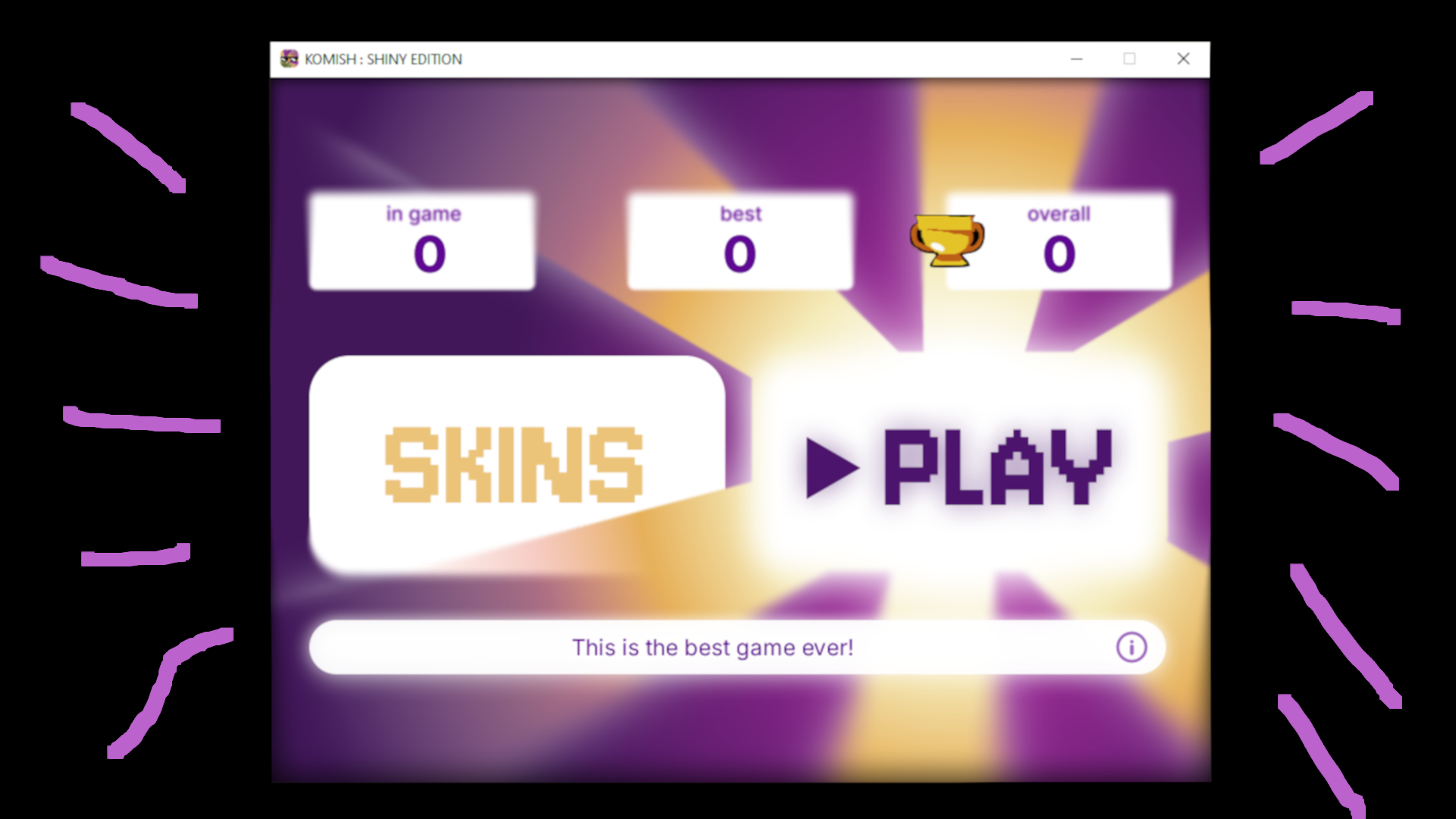
7. WOW !!! WE DID IT !!! NOW WE CAN CHILL AND ENJOY THE APP >>>
INSTALLATION ON LINUX
LINUX is not supported for now. you can use utilities like WINE to run windows apps on linux, but it is unofficial method, not recommended to use
INSTALLATION ON IOS
IOS is not supported for now.
THE END. IF YOU HAVE SOMETHING ABSOLUTELY STRANGE - JUST TEXT OUR SUPPORT BY CLICKING "CONTACT DEVS"